ECE 1100: Media Control Module
Table of Contents
Overview#
Georgia Tech is known for its intensive, career-oriented curriculum — and keeping pace with the Institute demands real adjustment. For first-year students in the ECE department, ECE 1100 serves as that entry point: a course designed to ease the transition by guiding us through campus exploration and early career planning.
This page documents one of those exploration tasks — the Discovery Project.
Project Roadmap#
Initial Planning#
The Discovery Project centers on designing and building a Unicode Keyboard — a custom input device that lets users type hexadecimal Unicode values directly to insert special symbols into a computer. The build is based on an Arduino board acting as a USB HID keyboard, paired with a 1602 LCD for real-time input feedback, physical buttons for hex entry, and a 3D-printed enclosure.
Key resources include the Arduino Keyboard library for USB HID functionality, Georgia Tech’s Hive makerspace for 3D printing and prototyping, and the Senior Design Lab for materials and assembly guidance.
Through this project, I aim to develop hands-on ECE skills in soldering, embedded programming, system-level debugging, and 3D modeling.
Feasibility Check & Revised Plan#
After initial research, I discovered that true Unicode input via a custom keyboard requires a companion “input method” application running on the host machine. This approach proved overly complex, as it involves bypassing the standard HID keyboard security protocol. As a result, I decided to pivot the project goal toward something achievable within the standard HID keyboard specification. Given the constraints on time and available tools, the revised project focuses on building a Media Control Module — using an ESP32 and tactile buttons to send standard HID media key commands (play, pause, volume, skip) to a connected computer.
Project Overview#
Hardware Design#
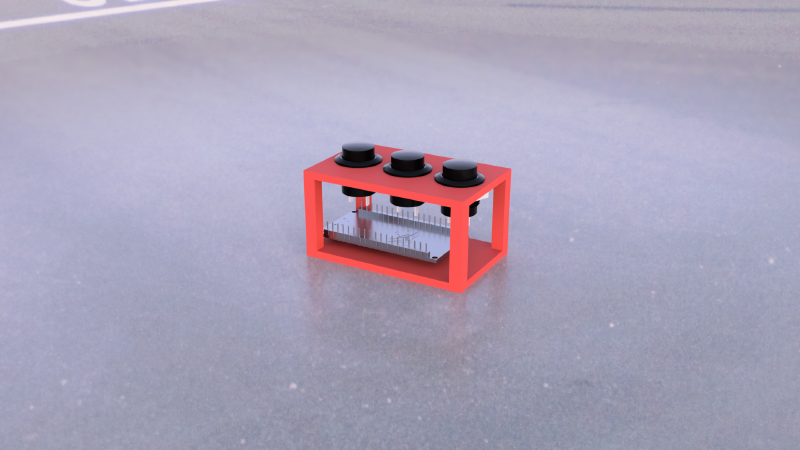
The Media Control Module differs from a conventional keyboard in form factor. To take advantage of the ESP32’s compact size, the entire device measures roughly 70 × 40 × 45 mm — small enough to fit comfortably in one hand. The top face features three tactile buttons for pause, previous track, and next track, while the control electronics are housed inside the 3D-printed enclosure.
Electrical Connections#
The ESP32 serves as the central controller, powered via its Micro-USB port. Three momentary push buttons are connected to GPIO 13, 12, and 14 for play/pause, next track, and previous track respectively. All inputs use the ESP32’s internal pull-up resistors, so each button pin is wired directly to ground on the other side — no external resistors needed. The device communicates with the host machine wirelessly over Bluetooth Low Energy (BLE).
Simplified wiring diagram:
graph LR
    USB[Micro-USB 5V] ==> ESP32[ESP32]

    subgraph Buttons
        direction TB
        B1[Play/Pause
GPIO 13]
        B2[Next Track
GPIO 12]
        B3[Prev Track
GPIO 14]
    end

    B1 --- ESP32
    B2 --- ESP32
    B3 --- ESP32

    ESP32 -. BLE .-> HOST[Host Machine]
Firmware#
The firmware is built on the ESP32-BLE-Keyboard library, which allows the ESP32 to appear as a standard Bluetooth HID keyboard to the host machine. On boot, the device advertises itself as “MediaPad” and waits for a BLE connection.
Once paired, the main loop continuously polls the three button inputs. Each button uses active-low logic with the ESP32’s internal pull-up resistors — when pressed, the pin is pulled to ground, triggering the corresponding HID media key command: play/pause (GPIO 13), next track (GPIO 12), or previous track (GPIO 14). A 300 ms debounce delay follows each key press to prevent duplicate inputs.
Result#
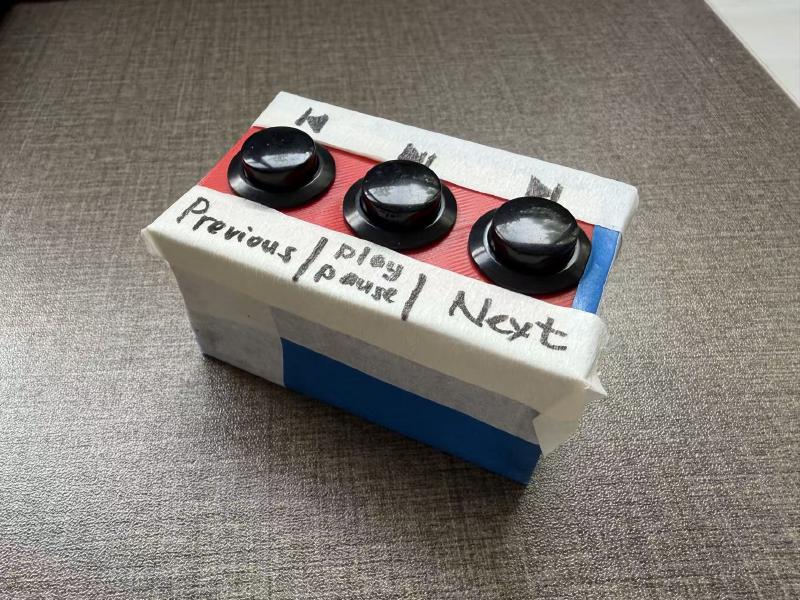
The completed Media Control Module successfully pairs with a host machine over BLE and sends play/pause, next track, and previous track commands with reliable input response. Through this project, I gained hands-on experience in embedded programming with the ESP32, 3D modeling an enclosure in Fusion 360, and iterative hardware debugging — from the initial Unicode keyboard concept to a functional, pocket-sized media controller.
There are no articles to list here yet.